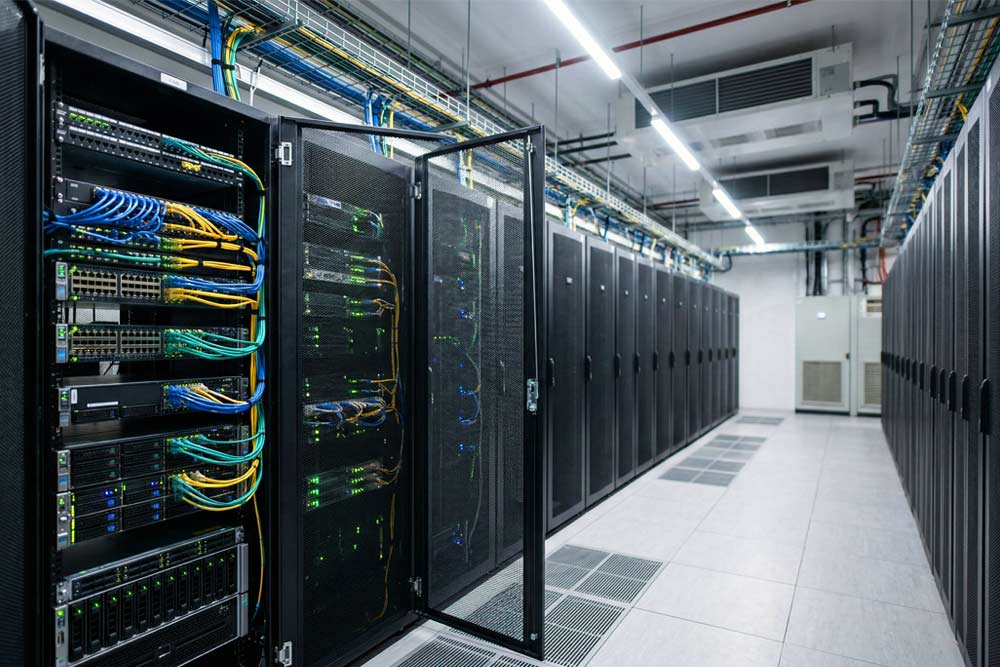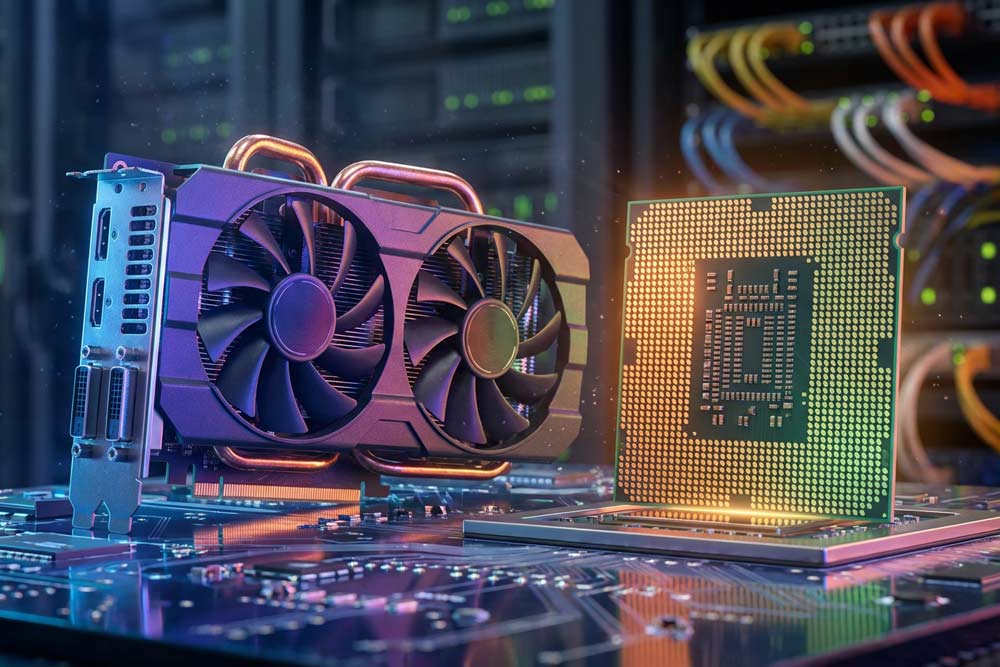
GPUs and CPUs are at the center of modern compute architecture, shaping performance decisions across everything from enterprise servers to AI platforms. The comparison is sometimes framed as a hardware match-up, but the reality is closer to an engineering trade-off, where the “right” processor depends on how the workload behaves and which constraints matter the most. In practice, however, most systems combine both types of processors, using each one where its design makes the most sense. Once you start paying attention to how software actually runs, the divide comes down to the way each processor executes work and the kinds of tasks it handles most efficiently.
This matters more now than it did a few years ago, since AI workloads have pushed hardware to its limits and forced new design choices. Organizations building AI products have to think about performance, cost, and scalability at the same time, and those trade-offs can show up in unexpected places. The deeper you go, the more you realize that GPUs vs CPUs is only the starting point, since specialized processors and new deployment models are reshaping how compute gets delivered today.
Understanding GPUs vs CPUs gives you a clearer view of why today’s AI systems look the way they do, and why the next wave of hardware will probably look different again. Let’s explore.
The Main Differences Between GPUs vs CPUs
Since real systems usually deal with a mix of different kinds of work that demand different types of strengths, modern computing can’t be described with just one processor type. The simplest way to define GPUs vs CPUs is by how they process tasks: CPUs focus on serial processing, while GPUs focus on parallel processing. A CPU takes an instruction stream and executes it with tight control, which suits workloads that depend on decision-making, branching logic, and fast responses to unpredictable requests. A GPU takes large batches of similar operations and pushes them through many small cores, which is suited to workloads that repeat the same math across large datasets.
But the architectural differences go deeper than the oversimplified view that “one does one thing at a time and the other does many.” CPUs devote more silicon to sophisticated control logic, large caches, and mechanisms that accelerate single-thread performance, like branch prediction and out-of-order execution. That design philosophy helps when a program has irregular steps, frequent conditionals, or lots of small tasks that must be completed quickly. GPUs devote more silicon to arithmetic units and throughput, which makes them highly effective when the same instruction pattern can run across many data elements with minimal branching.
Why GPUs Dominate Modern AI Workloads
GPUs were originally built for graphics rendering, since drawing images involves applying similar operations across millions of pixels or vertices. That same structure appears in machine learning, where training means running matrix math across enormous tensors and repeating it over many iterations. In the modern GPUs vs CPUs discussion, this is the headline advantage: GPUs can execute thousands of lightweight threads at once, so they can chew through deep learning training workloads that would merely crawl on “general-purpose” processors.
That capability has real-world consequences, since it supports various AI, large language models, neural network training, and other high-throughput systems that push computational limits. Entire industries benefit from this acceleration, including drug discovery research and high-frequency trading systems, where faster model training or faster simulation cycles can change what is feasible in practice. GPUs are also great for data-parallel tasks (like image processing, physics simulation, or large-scale numerical optimization), since the same operation often applies across vast arrays.
Cost and use still matter, though, and they shape how the differences between GPUs vs CPUs play out in production. GPU hardware is expensive, and the electricity bill can climb quickly when systems run at high load for long periods. Poor workload planning can leave accelerators idle, which turns a powerful component into a very costly paperweight with fans. Efficient scheduling, batching, and capacity planning determine whether the GPU investment pays off.
Where CPUs Still Win, and Why Hybrids Matter
CPUs remain essential because they handle diverse tasks with low latency and strong control flow. Operating systems, web servers, databases, and everyday applications rely on sequential logic, in which each step depends on the result of the previous step. This is the strength of CPUs vs. GPUs: CPUs can handle orchestration, branching, and responsiveness that parallel hardware doesn’t naturally prioritize.
In AI systems, CPUs often run inference pipelines, preprocessing stages, and service orchestration, especially when models are smaller or when requests come in unpredictable patterns. Some training and fine-tuning tasks also fit CPU resources, and particularly domain-specific models that don’t require extreme parallel throughput. Many real deployments combine both processors in the same workstation or server: hybrid designs let CPUs manage control-heavy work and leave the GPUs to accelerate math-heavy kernels. This pairing is used in 3D modeling and large-scale analytics, where high-end CPUs coordinate tasks and multiple GPUs carry the heavy numerical load, making the overall system faster and more balanced.

Specialized Processors
A lot of conversations about GPUs vs CPUs make it sound like you have to pick one side, even though modern computers and data centers usually rely on both. CPUs handle the “general management” work of a system, and they deal well with tasks that change direction often or depend on lots of small decisions. GPUs handle the heavy lifting for workloads that can be split into many similar calculations, which is common in graphics and modern AI.
As AI has grown, companies started looking for chips that do specific AI tasks faster and with less wasted energy. That push comes from real limits such as electricity cost, heat, and physical space in servers. If a model needs significant compute, even small efficiency gains can translate into major savings. That is why the world around GPUs vs CPUs now includes several specialized processor types designed for narrower goals.
LPUs, NPUs, and TPUs in Plain Terms
LPUs, or language processing units, are designed for language-heavy AI tasks. Groq developed LPUs to run large language models quickly during inference, which means generating answers or predictions after a model has already been trained. This matters for use cases that need fast responses, like chatbots and voice assistants, because users can feel the delays immediately. LPUs also support speech-to-text and real-time translation, where speed affects usability and cost.
NPUs, or neural processing units, focus on running neural networks efficiently, with an emphasis on devices that cannot afford high power usage. Many NPUs are built for smartphones, IoT devices, or robotics, where a battery or small power supply sets the limits. They accelerate common AI operations, such as matrix multiplication, which is used frequently in deep learning. In everyday terms, NPUs help devices do more AI work locally, which can improve privacy and reduce reliance on cloud services. This shows another layer of complexity in GPUs vs CPUs, since edge devices often value energy efficiency more than maximum speed.
TPUs, or tensor processing units, were developed at Google to accelerate deep learning workloads in large systems. They are designed for the kinds of tensor calculations that show up in neural networks, and they support both training and inference at scale. In the broader picture of GPUs vs CPUs, TPUs represent a highly specialized option that makes sense when the workload is large, consistent, and closely tied to deep learning.
Why Instruction Sets and New Hardware Trends Matter
Every processor follows an instruction set architecture, or ISA, which defines the basic commands it understands. This affects how software runs and how efficiently developers can use the hardware. Because fundamentally, all of these chips perform math, and AI relies heavily on matrix and vector operations. The difference is how the chip is built to run that math, and how much overhead it carries for flexibility.
Hardware companies keep chasing two goals: more performance and better power efficiency. They want more useful work per clock cycle, and they want less energy wasted as heat. On the CPU side, x86 has been the long-standing standard in many servers, yet alternatives are becoming more important. RISC-V is an open-source ISA that reduces licensing costs, which can make it easier to build cheaper processors or custom designs for specific uses. That kind of change can influence the future of GPUs vs CPUs, since CPU options shape how entire systems are planned.
GPUs vs CPUs and the Risk Profile of Owning Hardware
GPUs vs CPUs planning becomes more complicated once budgets and risk enter the picture, since the best technical option may still be the wrong business move. The most central question is whether to buy GPU hardware outright or lease compute capacity from providers, and the safest approach usually starts with reducing the risks associated with the decision. If a company purchases GPUs mainly for model training, then later shifts toward inference-heavy workloads, it can end up with expensive capacity that sits unused and just drains value and resources.
Buying is more or less the default path for large organizations in regulated industries. Pharmaceutical companies and financial services firms often operate under strict requirements related to proprietary data, auditability, and compliance. Keeping sensitive workloads in private data centers can reduce exposure and simplify governance even when the upfront capital expense is high. In that setting, hardware ownership becomes part of the security model, and the goal shifts from flexibility toward predictability and control.
Leasing Capacity for Flexibility and Faster Refresh Cycles
Leasing can be the more practical option for many organizations. Renting compute works similarly to multicloud strategies, since it lets organizations choose different providers and different hardware profiles without locking into a single vendor. This model avoids large CAPEX commitments, which matters for businesses that need to scale cautiously or validate products before making infrastructure permanent. Pricing follows usage, and token-based billing for inference can align costs with the amount of data processed rather than the size of the hardware footprint.
Leasing also lowers the barrier to entry, especially for smaller companies that want results without building a full data center strategy. Engineers can focus on learning the platform, deploying models, and iterating quickly, instead of managing procurement cycles and capacity planning. Some businesses choose to buy or build the software they need for core operations, then rent compute power only when AI workloads demand it. This can be the sensible approach when proprietary data is limited, and workload volume changes week by week.
Another factor pushing many organizations toward leasing is that GPU hardware ages quickly. AI chip innovation moves at an aggressive pace, and accelerator generations can lose competitiveness in roughly 18 months, compared with the older five-year server refresh cycle. That shorter lifespan changes the math, because leasing can provide access to newer hardware without forcing an early replacement decision.

The Role of Colocation
Colocation has become a practical piece of the AI deployment story, especially once workloads stop fitting neatly inside a single server room. Distributed systems depend on consistent power delivery, high-density cooling, and predictable network performance, and those requirements become more demanding as AI hardware scales up. For teams deploying GPU clusters or mixed CPU-GPU fleets, colocation offers a way to place compute close to major network hubs without taking on the full complexity of building and operating a private data center, and it also shapes how GPUs vs CPUs decisions translate into real infrastructure.
This is crucial because AI workloads don’t behave like traditional enterprise applications. Training AI models relies heavily on parallel processing, where many accelerators run in sync and exchange data continuously, so network quality and interconnect stability shape real performance just as much as raw compute. Sequential processing still plays a role in orchestration, data ingestion, and service control paths, so the surrounding infrastructure has to support both execution patterns and avoid becoming fragile under the load.
Inference models bring a different set of constraints, since user-facing systems need consistent throughput and predictable response times. Colocation helps here as well, since it supports deployments that sit between cloud and on-prem, with enough flexibility to scale and enough control to manage cost. Colocation can turn AI hardware from a powerful component into a deployable system that can operate reliably across regions and workloads.
Reliable Network and Connectivity From Volico
If you want to see how connectivity performance turns into real operational advantage, it’s worth taking a closer look at what Volico Data Centers delivers across its facilities. Volico’s connectivity architecture is designed around dense interconnection, strong carrier presence, and offering multiple ways to plan for latency control, redundancy, and long-term scale. Meet-me rooms, carrier equipment rooms, and cross-connect infrastructure support a wide range of workloads, from enterprise applications to distributed AI environments, that depend on fast, consistent data movement. Whether your priority is predictable latency, path diversity, or the flexibility to adapt as requirements evolve, Volico Data Centers provides an environment where connectivity stays aligned with growth.
Contact us today to find out more.