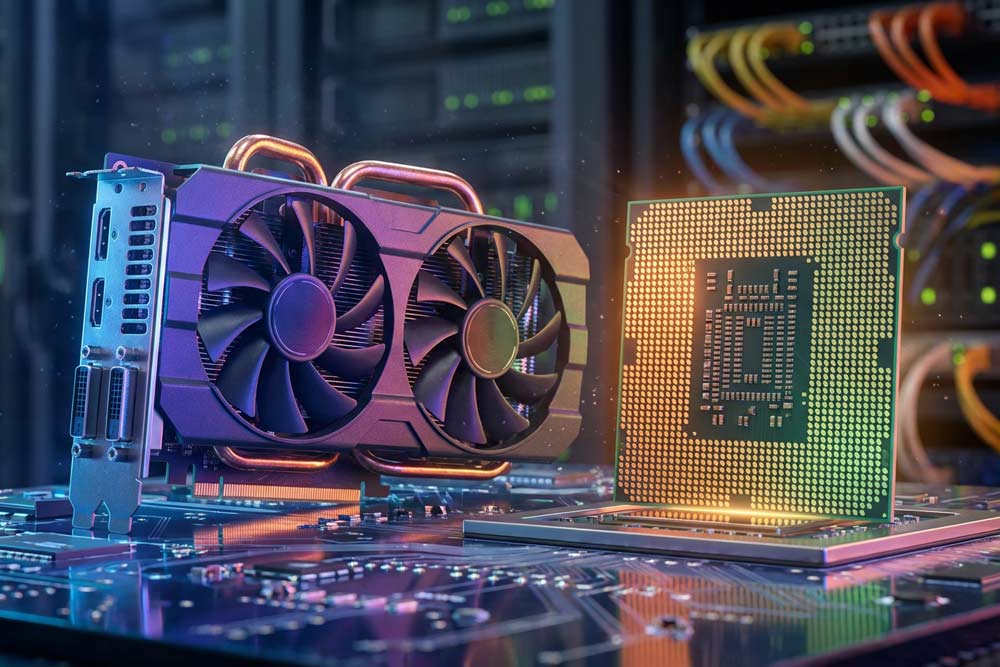
GPUs and CPUs are at the center of modern compute architecture. They shape performance decisions for everything from enterprise servers to AI platforms. The comparison is sometimes framed as a hardware match-up. In reality, it is closer to an engineering trade-off. The “right” processor depends on how the workload behaves and which constraints matter most. In practice, however, most systems combine both types and use each one where its design fits best. Once you look at how software actually runs, the divide comes down to how each processor executes work. It also comes down to the tasks each one handles most efficiently.
This matters more now than a few years ago, since AI workloads have pushed hardware to its limits. That shift has forced new design choices. Organizations building AI products have to weigh performance, cost, and scalability at the same time. Those trade-offs can show up in unexpected places. The deeper you go, the more you realize that GPUs vs CPUs is only the starting point. That is because specialized processors and new deployment models are reshaping how teams deliver compute today.
Understanding GPUs vs CPUs gives you a clearer view of why today’s AI systems look the way they do. It also hints at why the next wave of hardware will probably look different again. Let’s explore.
The Main Differences Between GPUs vs CPUs
Real systems handle a mix of work, so modern computing can’t rely on just one processor type. The simplest way to define GPUs vs CPUs is by how they process tasks. CPUs focus on serial processing, while GPUs focus on parallel processing. A CPU takes an instruction stream and executes it with tight control. This suits workloads that depend on decision-making, branching logic, and fast responses to unpredictable requests. A GPU takes large batches of similar operations and pushes them through many small cores. Workloads that repeat the same math across large datasets benefit most.
But the architectural differences go deeper than that. The oversimplified view says “one does one thing at a time and the other does many.” CPUs devote more silicon to sophisticated control logic, large caches, and mechanisms that accelerate single-thread performance. Examples include branch prediction and out-of-order execution. That design philosophy helps when a program has irregular steps or frequent conditionals. It also helps with lots of small tasks that need to finish quickly. GPUs devote more silicon to arithmetic units and throughput. That makes them highly effective when the same instruction pattern can run across many data elements with minimal branching.
Why GPUs Dominate Modern AI Workloads
GPUs were originally built for graphics rendering, since drawing images involves applying similar operations across millions of pixels or vertices. That same structure appears in machine learning, where training means running matrix math across enormous tensors. The model repeats that work over many iterations. In the modern GPUs vs CPUs discussion, this is the headline advantage. GPUs can execute thousands of lightweight threads at once. As a result, they can chew through deep learning training workloads that would merely crawl on “general-purpose” processors.
That capability has real-world consequences. It supports various AI, large language models, neural network training, and other high-throughput systems that push computational limits. Entire industries benefit from this acceleration, including drug discovery research and high-frequency trading systems. Faster model training or faster simulation cycles can change what is feasible in practice. GPUs are also great for data-parallel tasks, such as image processing, physics simulation, or large-scale numerical optimization. That works because the same operation often applies across vast arrays.
Cost and use still matter, though, and they shape how the differences between GPUs vs CPUs play out in production. GPU hardware is expensive, and the electricity bill can climb quickly when systems run at high load for long periods. Poor workload planning can leave accelerators idle, which turns a powerful component into a very costly paperweight with fans. Efficient scheduling, batching, and capacity planning determine whether the GPU investment pays off.
Where CPUs Still Win, and Why Hybrids Matter
CPUs remain essential because they handle diverse tasks with low latency and strong control flow. Operating systems, web servers, databases, and everyday applications rely on sequential logic, where each step depends on the previous result. That is where CPUs shine. They handle orchestration, branching, and responsiveness that parallel hardware doesn’t naturally prioritize.
In AI systems, CPUs often run inference pipelines, preprocessing stages, and service orchestration. This is especially true when models are smaller or requests come in unpredictable patterns. Some training and fine-tuning tasks also fit CPU resources, particularly for domain-specific models that don’t require extreme parallel throughput. Many real deployments combine both processors in the same workstation or server. Hybrid designs let CPUs manage control-heavy work and leave the GPUs to accelerate math-heavy kernels. This pairing shows up in 3D modeling and large-scale analytics. There, high-end CPUs coordinate tasks while multiple GPUs carry the heavy numerical load. As a result, the overall system is faster and more balanced.

Specialized Processors
A lot of conversations about GPUs vs CPUs make it sound like you have to pick one side. In fact, modern computers and data centers usually rely on both. CPUs handle the “general management” work of a system. They deal well with tasks that change direction often or depend on lots of small decisions. GPUs handle the heavy lifting for workloads that split into many similar calculations. That is common in graphics and modern AI.
As AI has grown, companies started looking for chips that do specific AI tasks faster and with less wasted energy. That push comes from real limits such as electricity cost, heat, and physical space in servers. If a model needs significant compute, even small efficiency gains can translate into major savings. That is why the world around GPUs vs CPUs now includes several specialized processor types designed for narrower goals.
LPUs, NPUs, and TPUs in Plain Terms
LPUs, or language processing units, handle language-heavy AI tasks. Groq developed LPUs to run large language models quickly during inference. Inference means generating answers or predictions after a model finishes training. This matters for use cases that need fast responses, like chatbots and voice assistants, because users feel delays immediately. LPUs also support speech-to-text and real-time translation, where speed affects usability and cost.
NPUs, or neural processing units, focus on running neural networks efficiently. Their emphasis is on devices that cannot afford high power usage. Many NPUs show up in smartphones, IoT devices, and robotics, where a battery or small power supply sets the limits. They accelerate common AI operations, such as matrix multiplication, which deep learning uses frequently. In everyday terms, NPUs help devices do more AI work locally. That can improve privacy and reduce reliance on cloud services. This adds another layer of complexity to GPUs vs CPUs, since edge devices often value energy efficiency over maximum speed.
Google developed TPUs, or tensor processing units, to accelerate deep learning workloads in large systems. They target the tensor calculations that show up in neural networks. TPUs support both training and inference at scale. In the broader picture of GPUs vs CPUs, TPUs represent a highly specialized option. That option makes sense when the workload is large, consistent, and closely tied to deep learning.
Why Instruction Sets and New Hardware Trends Matter
Every processor follows an instruction set architecture, or ISA, which defines the basic commands it understands. This affects how software runs and how efficiently developers can use the hardware. Fundamentally, all of these chips perform math, and AI relies heavily on matrix and vector operations. The difference is how each chip runs that math and how much overhead it carries for flexibility.
Hardware companies keep chasing two goals: more performance and better power efficiency. They want more useful work per clock cycle, and they want less energy wasted as heat. On the CPU side, x86 has been the long-standing standard in many servers, yet alternatives are becoming more important. RISC-V is an open-source ISA that reduces licensing costs. That can make it easier to build cheaper processors or custom designs for specific uses. Changes like this can influence the future of GPUs vs CPUs, since CPU options shape how teams plan entire systems.
GPUs vs CPUs and the Risk Profile of Owning Hardware
GPUs vs CPUs planning becomes more complicated once budgets and risk enter the picture. That happens because the best technical option may still be the wrong business move. The most central question is whether to buy GPU hardware outright or lease compute capacity from providers. The safest approach usually starts with reducing the risks associated with the decision. Suppose a company purchases GPUs mainly for model training. If it later shifts toward inference-heavy workloads, it can end up with expensive capacity that sits unused. That idle capacity just drains value and resources.
Buying is more or less the default path for large organizations in regulated industries. Pharmaceutical companies and financial services firms often operate under strict requirements related to proprietary data, auditability, and compliance. Keeping sensitive workloads in private data centers can reduce exposure and simplify governance, even when upfront capital expense is high. In that setting, hardware ownership becomes part of the security model. The goal shifts from flexibility toward predictability and control.
Leasing Capacity for Flexibility and Faster Refresh Cycles
Leasing can be the more practical option for many organizations. Renting compute works similarly to multicloud strategies, since it lets organizations pick different providers and hardware profiles. Teams avoid locking into a single vendor. This model avoids large CAPEX commitments. That matters for businesses that need to scale cautiously or validate products before making infrastructure permanent. Pricing follows usage. Token-based billing for inference can align costs with the amount of data processed rather than the hardware footprint.
Leasing also lowers the barrier to entry, especially for smaller companies. These companies want results without building a full data center strategy. Engineers can focus on learning the platform, deploying models, and iterating quickly, instead of managing procurement cycles and capacity planning. Some businesses choose to buy or build the software they need for core operations. Then they rent compute power only when AI workloads demand it. This can be the sensible approach when proprietary data is limited, and workload volume changes week by week.
Another factor pushing many organizations toward leasing is that GPU hardware ages quickly. AI chip innovation moves at an aggressive pace. Accelerator generations can lose competitiveness in roughly 18 months, compared with the older five-year server refresh cycle. That shorter lifespan changes the math, because leasing can provide access to newer hardware without forcing an early replacement decision.

The Role of Colocation
Colocation has become a practical piece of the AI deployment story, especially when workloads outgrow a single server room. Distributed systems depend on consistent power delivery, high-density cooling, and predictable network performance. Those requirements become more demanding as AI hardware scales up. For teams deploying GPU clusters or mixed CPU-GPU fleets, colocation places compute close to major network hubs. That comes without the full complexity of building and operating a private data center. Colocation also shapes how GPUs vs CPUs decisions translate into real infrastructure.
This is crucial because AI workloads don’t behave like traditional enterprise applications. Training AI models relies heavily on parallel processing. Many accelerators run in sync and exchange data continuously. As a result, network quality and interconnect stability shape real performance just as much as raw compute. Sequential processing still plays a role in orchestration, data ingestion, and service control paths. So the surrounding infrastructure has to support both execution patterns and avoid becoming fragile under the load.
Inference models bring a different set of constraints, since user-facing systems need consistent throughput and predictable response times. Colocation helps here as well, since it supports deployments that sit between cloud and on-prem. Those deployments offer enough flexibility to scale and enough control to manage cost. It can turn AI hardware from a powerful component into a deployable system that operates reliably across regions and workloads.
Reliable Network and Connectivity From Volico
If you want to see how connectivity turns into real operational advantage, take a closer look at Volico Data Centers. Volico’s connectivity architecture centers on dense interconnection and strong carrier presence. It also offers multiple ways to plan for latency control, redundancy, and long-term scale. Meet-me rooms, carrier equipment rooms, and cross-connect infrastructure support workloads from enterprise applications to distributed AI environments. Those workloads depend on fast, consistent data movement. Your priority might be predictable latency, path diversity, or the flexibility to adapt as requirements evolve. In each case, Volico Data Centers provides an environment where connectivity stays aligned with growth.
Contact us today to find out more.