It happens to us all eventually. Things seem to be clicking along fine, and then, out of nowhere, your computer refuses to boot up. Maybe you’ve noticed some cryptic error messages that don’t seem to actually relate to any part of your system. Without a plan, hard drive failure looks like a nightmare. Planning is the step that protects both your data and your business. Our backup services can help you prepare for such a disaster, mitigating the damage and saving you time and money. It’s important to understand, however, what causes hard drive failure and what your recovery options are.
Mechanical Failure
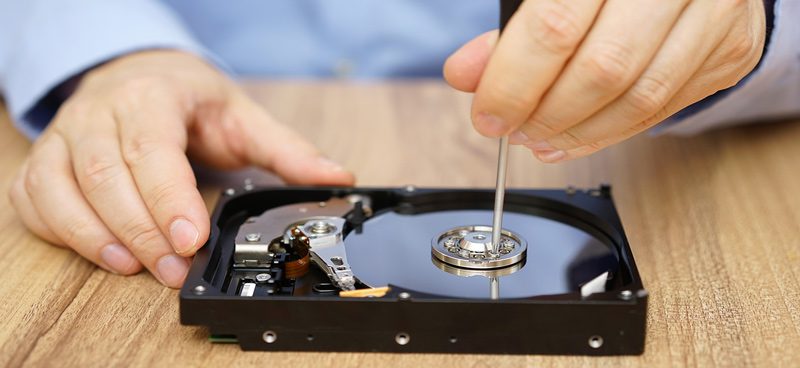
The hard drive is one of the most sensitive parts of your computer. It’s full of delicate, moving parts. Just like anything else, those parts can be faulty and wear out over time. It doesn’t take long for a hard drive to fail entirely once it starts showing signs of wear. Drop the machine and those delicate parts get jostled or damaged. Sharp, frequent weather changes do the same thing. Temperature and humidity fluctuations can cause internal parts to contract and expand, which can cause degradation over time. Water damage is also an instant hard-drive killer.
Viruses and Malware
One of the most common causes of failure is a virus. This is an easy one to prevent with the right firewall and security solutions on your computer. Also, making sure your files are regularly backed up to the Cloud is always a good idea in case a disaster like a virus infection happens. Hard drive data recovery is considerably easier if you back your data up offsite in the Cloud.
Warning Signs of Hard Drive Failure
If you are experiencing issues with your computer, and you suspect your hard drive might be to blame, there are a few things you should look for. A slow decline shows up as sporadic, random crashes. They cluster around booting the OS and running drive-intensive programs. Watch for random errors, or corrupted files that will not open, especially if the machine crashes often.
Ideally, keep backups synced in real time. If that is not an option, back up non-vital files weekly. Anything that changes often should go every 24 hours. If you suspect there may be an internal issue, then you may even want to do full-system backups more often and quickly, before the issue gets worse.
For many, hard drive failure results in a complete crash. Your computer will refuse to boot up again, and at this point, if you haven’t stored your data safely, you might find yourself in a tight spot. Hard drive recovery after a crash is incredibly expensive and time-consuming, not to mention risky. While there are services that can recover the data depending on the issue, they can be spendy and can’t always guarantee all of your data back. When a drive finally fails, many types of data go completely.
Related reading
An Ounce of Prevention Stops Hard Drive Failure Headaches
The best recovery method for your hard drive is to have never lost the data at all. We can help. Call or email us today to find out how we can help you protect your data and ensure you never find yourself on the wrong side of the unfortunate realities of physical computer components.
Discover how Volico can help you with your Managed Backup needs.
• Call: (305) 735-8098 • Chat with a member of our team to discuss which solution best fits your needs.