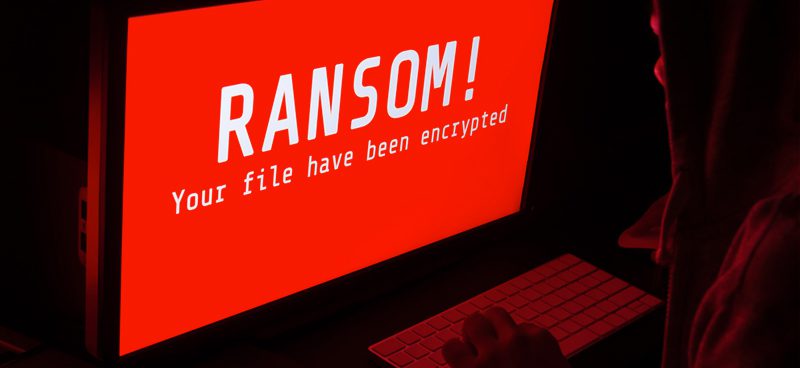
Standard ransomware is the deliberate sabotage of your computer files and data by outsiders. The criminals tell you, in no uncertain terms, that they encrypted your information and made it unusable. They give you a limited window, often 48 to 72 hours, to pay up. Miss that window and your files stay destroyed for good. Ransomware is so common now that criminals rent it out to each other as a service.
Fake ransomware methods
Today, though, some criminals aren’t encrypting your files at all. They just falsely claim they encrypted them. Fake ransomware criminals prey on the fear and panic that a ransomware threat brings. They count on you panicking instead of calmly trying a decrypting tool or simply rebooting the software.
Worse, they may have already deleted or destroyed your files. In that case, paying the ransom won’t do you any good. They might show you one encrypted page just to make you think they can restore your data. They can’t.
Alternatively, they may have encrypted your files but have no intention of restoring them or handing over the decryption code. If you pay, they won’t restore your files, photos, databases, or any other digital information. There’s an ironic downside for criminals who never restore the data after taking the money. Too many failed restores, and businesses stop paying the ransom altogether.
Defenses to real and fake ransomware
IT administrators should assume their information could become a ransom target. Common defenses include steps that minimize data breaches and offline backups you can restore if an attack destroys your data. More information now moves through the Internet of Things, so planning for malicious attacks matters more every year.
IT departments should also work with software vendors who know how to circumvent ransomware when a threat occurs. These vendors can isolate the affected parts of the software so key components stay operable. Criminals typically send ransomware through attachments or malicious links. Don’t open files or click links you don’t trust.
Often the criminals who are making “honest” ransom demands will identify who they are. For example, by saying they are Linux.Encoder. Others provide a support email address. With fake ransomware, the people making the demand don’t identify themselves, directly or indirectly. They lock your screen and prevent you from leaving it unless you understand the right commands. IT departments should try closing the ransomware demand window by using Windows commands or other commands. The criminal may have created the vision of threat without actually installing the malware.
Fake ransomware never really destroyed your data, and paying the fee won’t restore anything either way. Sorting out which one you’re facing usually takes a security expert who can tell you what damage actually occurred. Then you can decide whether to respond.
Understand how to manage real and fake ransomware
Ransomware doesn’t have to disrupt your company or force you to shut down operations. With proper planning, your company can reduce ransomware risk and know how to respond when an attack occurs. Often, you’ll be able to keep operating without paying the ransom.
To learn more about this security risk, contact Volico. One of our experienced Managed Security Services consultants can help you prepare a proper strategy.
Discover how Volico can help you with your Managed Security needs.
- Call: (305) 735-8098
- Chat with a member of our team to discuss which solution best fits your needs.