Congratulations on your first dedicated server. Once you receive the information for your server, you will probably want to start migrating or creating your website immediately. If you have little to no systems administration experience, learn the tools available to you before you get started.
Often overlooked, the journey toward dedicated server enlightenment begins with your webhost. The reading may be dry, but it’s worth understanding exactly what you bought, what you’re responsible for, and what your webhost will handle. Here is a general list of what you will want to do:
What Your Webhost Is Responsible For
1. Read Over and Understand your TOS: Your Terms of Service specify the legalities of your server. In it you will find those things your service provider is responsible for and those things you are responsible for. Pay close attention to uptime guarantees, any information on scheduled downtime, and the steps needed to cancel your service. Keep a copy of the TOS handy.
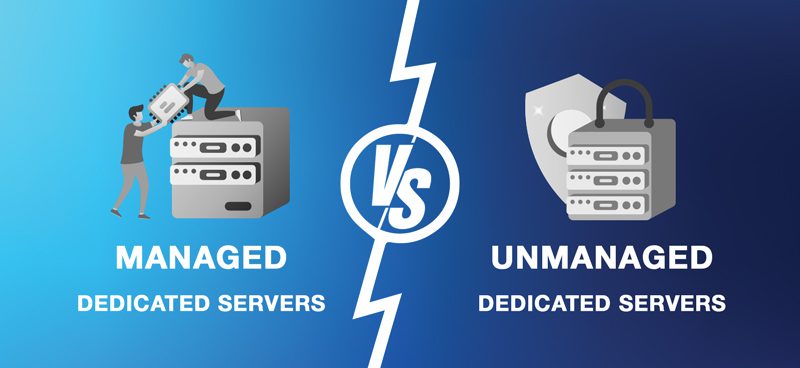
2. Read Over and Understand your Support Package: Even with unmanaged dedicated servers, the webhost is still responsible for some support. Understand what things are covered with your monthly fee and what things cost extra. Also keep a copy of this, if available, handy.
3. Check the Licensing Contracts: This especially holds true for software on Windows dedicated server boxes. Ensure that the licensing is up-to-date and any base licensed software is authentic. You don’t want Microsoft or Red Hat to audit you and find an unlicensed copy, software license compliance violations can mean real penalties.
4. Have Your Host’s Contact Info Readily Available: Keep your server’s information in an encrypted file on your desktop. Your webhost’s contact information should also be programmed into your cell phone. Emergencies rarely happen at convenient times and having this available so you can quickly resolve problems is a must.
What’s Inside Your Dedicated Server Box
At minimum, our hosting solutions include an operating system, a web server, and a database server for your first dedicated server. On top of this, you may have programming language support, a control panel, security software, and backup software. Even if you have managed support there are a few things you should know:
• Operating System: When it comes to the OS, you should know how to update it, configure it, perform security checks, check logs and audits, and lastly you need to understand how to do basic maintenance. One reason why managed or using third party administration is key for your first dedicated solution is, it gives you the opportunity to learn and to ask questions.
• Web Server: Although chances are high that you will use a control panel to handle most of the web server functions, it never hurts to understand how to perform security checks and how to add websites to the web server.
• Database Server: Like your web server, a great deal of what you will do with your database server will go through a control panel of some sort. Even if you use a control panel, you should understand simple commands such as backing up, importing, and exporting databases.
• Programming Languages: You likely chose a programming language before picking your dedicated server, and had your webhost install it. If not, pick the languages you need and have them professionally installed, ideally through third-party dedicated server management. You could install them yourself, but there’s really no need. If you’re already paying for the service, you might as well have them do it.
• Control Panels: The use of control panels is a personal preference. Many who are unfamiliar with the various web servers find using control panels to be an easy alternative. Others prefer to use the web server and other server assets directly. When having managed administration, your admin (be it webhost or third party) will probably have a control panel preference and will install a control panel to make administration easier. If this is the case, then become familiar with the control panel, learn how to navigate, and use the tools available.
• Security Software: At the most base of security measures, you should have an anti-virus suite and a software firewall. When you do migrate or create your site, run a security audit. This will let you know if there are extra security suites and precautions you need to add.
• Backup Software: If your webhost has a backup solution, then you should order it. There is no reason to justify not having backups for your websites. Take this opportunity to familiarize yourself with the software. Once your site is live, configure your backup software to match how often you update it.
Check Your Hardware Before You Go Live
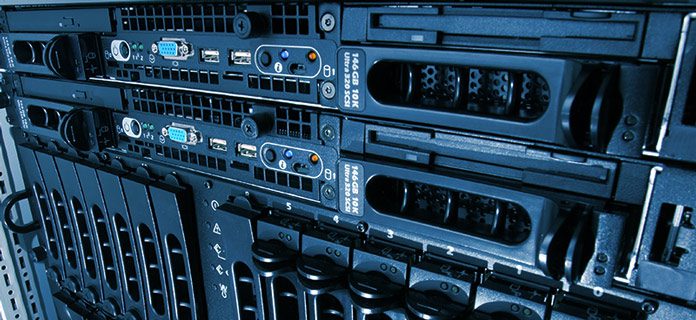
The last area to examine is the hardware. This part is fairly straightforward. Check to make sure you received the hardware you paid for. Familiarize yourself with any add-on hardware such as firewalls. If you have a hardware firewall and aren’t sure how to use it, have your managed provider walk you through setup or perform the checks for you.
Migrating Your Website to Your New Dedicated Server
Once you know what you’re working with, you can begin transferring or building your website. Your first dedicated server isn’t just a place to host your website, it’s a learning tool. Take it step by step, and you’ll become proficient at server administration.