Residential or business, there are plenty of data storage options. What you pick depends on your storage and accessibility needs. It also depends on your budget, and on whether you can manage the system in-house.
What is NAS (Network Attached Storage)?
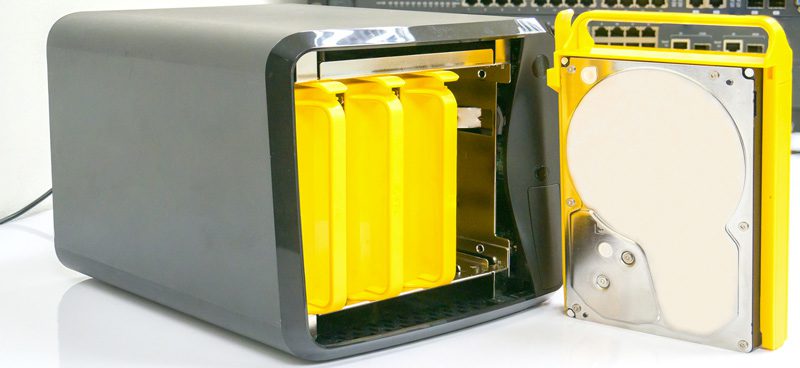
Network Attached Storage, or NAS, is data storage that connects over a network to serve different clients. Most NAS devices are simple storage units, so they have no keyboard or display. Instead, you manage NAS devices through a browser-based utility program. With more than one NAS in a network, each is a node with its own IP address.
Many different clients can access files stored on NAS, which means you can add storage without re-architecting anything. You can collectively configure NAS devices and add more storage easily. That makes NAS a strong fit at home. Priorities there include storing and serving media files and managing automated backups of essential data. Smart homes increasingly are relying on NAS to manage support for components across the house.
Commercial NAS uses include targeted backup, disaster recovery, or acting as a small business server. In server mode, NAS can act as a database and printer server, and manage email and media files.
What Is the Difference Between NAS and SAN?
Storage-Area Network (SAN) is a different solution, giving users contiguous blocks of data rather than single files. Access to SAN must be via a high-speed data transport network. Typical SAN applications are distributed ones needing multiple data paths. Others simply need optimized speed for local performance. SANs allow IT administrators to separate various networks and alleviate storage function issues for multiple servers.
Pros and Cons of NAS and SAN Storage Solutions
As NAS has evolved, these systems handle more complex needs and higher data demands. High-end NAS stores more files with quick access, and since it can be clustered, capacity grows with demand. Even mid-range NAS can handle hundreds of terabytes of data. There are also NAS devices suitable for small businesses and homeowners that are very affordable.
The main benefit of NAS over SAN is manageability, since you can run it yourself. You typically manage NAS in-house, and it needs little infrastructure. SAN generally needs dedicated IT staff. So many businesses choose cloud-based SAN instead, since the configuration and management skills are specialized.
SAN needs high-speed fiber or ethernet to transfer data. NAS instead needs a dedicated device at the head of the network. Depending on your size and needs, NAS may be much more economical than SAN.
Storage is moving toward the cloud, since even SAN is shifting from Fiber Channel to Internet Protocols. Whether your storage needs are file or block-based, there are more storage solutions available than ever to meet your needs.
Related reading
Getting Guidance on NAS and SAN
Volico’s IT experts can help you find a secure data storage solution that has the flexibility to meet your needs. Contact our team today to discuss SAN or NAS for your business. We will help you make the right choice. Our data management consultants know current technologies well. We will provide you with professional and clear advice about data storage solutions. Contact us today!
Discover how Volico can help you with your Storage needs.