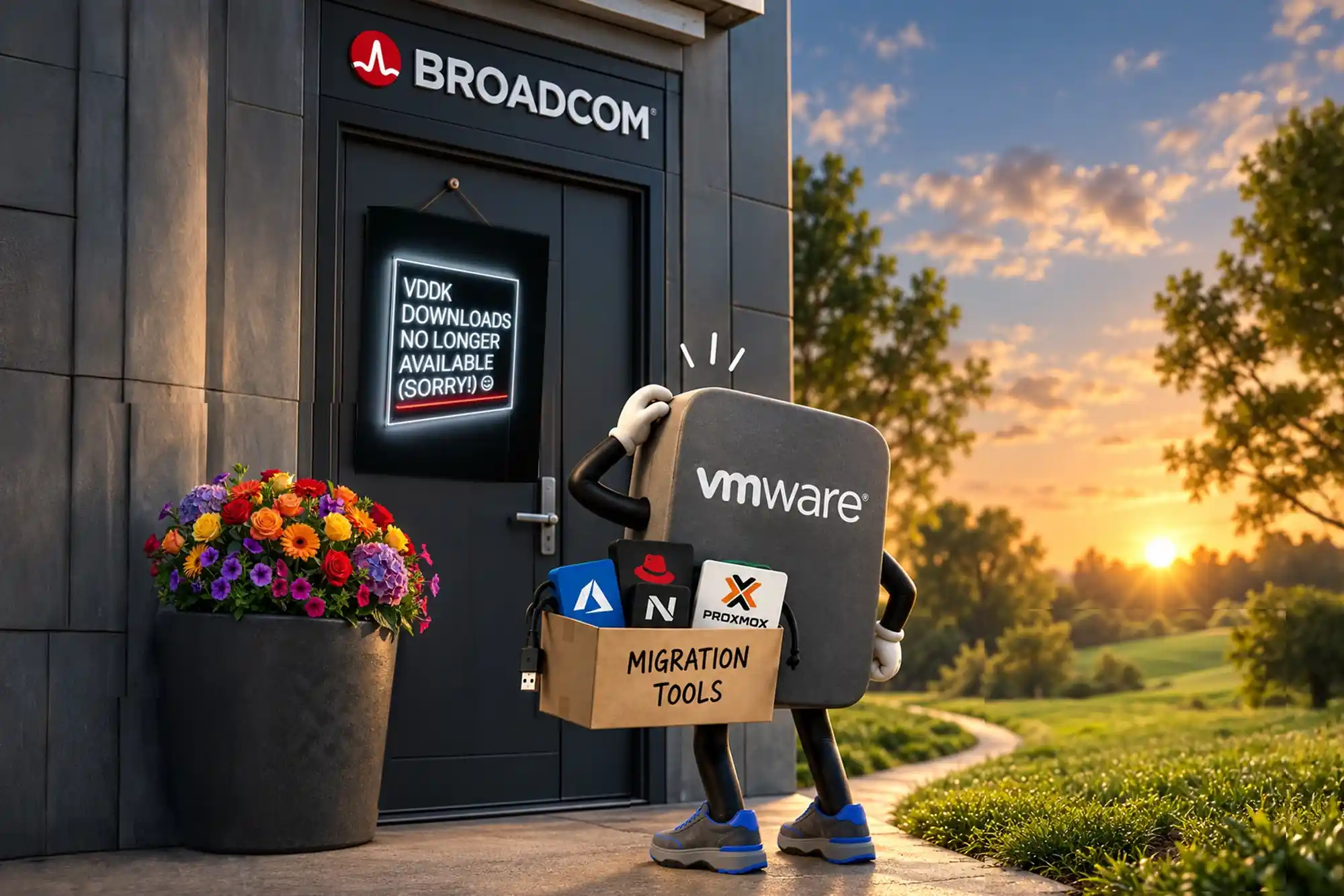
The Broadcom VMware migration tool that most of the industry depended on is gone. In late August 2026, Broadcom quietly removed the Virtual Disk Development Kit (VDDK) from its public download pages. For most IT teams that name meant nothing. For anyone planning a VMware exit, it meant a lot. VDDK is the library nearly every third party VMware migration tool used to read virtual disks off ESXi and move them somewhere else. Migrations already in progress stalled overnight. Vendors such as Platform9 and ShapeBlue said publicly that they received no warning.
Losing the Broadcom VMware migration tool came on top of two years of license restructuring and bundled suites. It also came with renewal quotes that many organizations describe as impossible to budget. If you run VMware today, you are probably asking two questions. Can we still leave? And if we can, where do we go?
The short answers are yes, and you have more options than Broadcom would like you to think. This article explains what was removed, why Broadcom says it pulled VDDK, and how migrations can still move forward without it. It also covers which VMware alternatives deserve a serious look and how Volico Data Centers moves workloads to Proxmox VE with migration tooling our engineers built for exactly this situation.
In This Article:
- Why the Broadcom VMware migration tool mattered
- Why did Broadcom remove VDDK?
- How much have VMware renewals increased?
- Which companies are leaving VMware?
- Migrating off VMware without VDDK
- VMware alternatives worth evaluating
- Why Proxmox VE fits many teams
- How Volico moves VMware workloads?
- A practical VMware exit checklist
Why the Broadcom VMware migration tool mattered?
Most people never touched the Broadcom VMware migration tool directly. VDDK is a software development kit that gives outside applications programmatic access to VMware virtual disks (VMDK files). A backup product uses it to read changed blocks. A VMware migration tool uses it to stream a VM’s disks from an ESXi host into a new hypervisor, usually over VMware’s Network Block Device (NBD) transport. Open source projects like virt-v2v, commercial platforms from Nutanix and Platform9, and many smaller conversion utilities all leaned on it.
Platform9 reported that Broadcom restricted public access to the kit on August 25, 2026, with the standard download URLs simply cut off. SDxCentral covered the story in September. It reported that VDDK had been removed from public download pages and that rival vendors objected to how suddenly it happened.
Why this hits migration projects so hard
A virtual machine (VM) migration usually happens in waves. A team moves a pilot group, validates it, then schedules the next batch over weeks or months. Any project built on a VDDK based tool now has a problem in the middle of that schedule. Teams with a cached copy of the library can keep going for now. Still, license terms and future ESXi patches make that a fragile plan. New projects can’t count on downloading it at all.
There’s also a second order effect. When Broadcom pulls VDDK, it sends a message about how much control it wants over the exit path. Infrastructure leaders read that message, and many are moving their timelines up as a result.
Why did Broadcom remove VDDK?
Broadcom’s explanation, delivered to customers through its support channel, was that the change ensures the highest standard of security, reliability, and product features. The company also stressed that it continues to maintain APIs and SDKs so authorized technology alliance partners can build backup and recovery software.
Broadcom never sold VDDK as a migration product, even though the market treated it as the de facto Broadcom VMware migration tool. Read closely, its statement frames backup and recovery as the intended use. Migration to a competing hypervisor is not mentioned, and vendors in that space have taken the omission as the point. In a blog post, Platform9’s marketing lead argued that Broadcom is restricting the path off its platform. At the same time, she said, it keeps raising prices on the customers who stay.
We can’t know Broadcom’s internal reasoning. Security hygiene around a widely distributed SDK is also a fair concern. What we can say is what the change does in practice. Authorized partners keep access. Independent migration vendors, open source projects, and customers doing their own conversions lose a convenient, standardized path. For an organization trying to plan a multiyear infrastructure strategy, the practical effect matters more than the stated motive.
How much have VMware renewals increased?
Licensing is the real driver behind most VMware exits, and the VDDK change only adds friction to a decision many companies have already made. Since Broadcom closed the VMware acquisition in November 2023, customers have absorbed a long list of changes:
- Perpetual licenses ended and VMware moved to subscription only.
- The product catalog collapsed into a small number of bundled suites, removing many entry level editions.
- Pricing shifted to a per CPU core model with a 16 core minimum per processor.
- Partner and cloud provider programs moved to invite only, leaving hundreds of smaller providers unable to sell new licenses.
Platform9 says customers are seeing renewal increases of 300% to 1,500%. Your number depends on your core counts, the suite you’re pushed into, and how much of that suite you actually use. Take a company running a modest cluster that only needs vSphere and basic HA. It can end up paying for a full private cloud stack it never deploys. That gap between what you use and what you’re billed for is where the 10x quotes come from.
Broadcom, for its part, is doing well. SDxCentral reported that Broadcom Infrastructure Software ARR, the segment that includes VMware, is growing at around 15% a year. Even so, the company expected quarterly revenue in that segment to dip slightly to about $8.7 billion. Strong recurring revenue tells you the pricing model is working for Broadcom. It doesn’t tell you it works for your budget.
There’s also a fixed date on the calendar. General support for vSphere 8, the last version many organizations bought under perpetual terms, is scheduled to end in October 2027. If you’re running perpetual licenses and planning to coast, that window is closing.
Which companies are leaving VMware?
The exits are no longer limited to small shops. Some high profile examples from the past year:
- Tottenham Hotspur FC replaced its VMware estate with virtualization from Hewlett Packard Enterprise as part of a stadium technology refit.
- The Buffalo Bills chose Nutanix for the infrastructure behind their new Highmark Stadium network.
- U.K. retailer Tesco was reported to be migrating tens of thousands of servers off VMware during a licensing dispute.
- AT&T fought Broadcom in court over support for its existing VMware licenses.
Nutanix has said it picked up thousands of new customers in a single year. Many of them came from VMware. Platform9, ShapeBlue (the company behind much of Apache CloudStack’s commercial support), Proxmox, Microsoft with Hyper-V, and Red Hat with OpenShift Virtualization are all competing for the same departing customers.
The lesson for a mid market IT director is simple. Leaving VMware is now a normal project with known paths and plenty of people who have done it. It isn’t a moonshot.
Migrating off VMware without VDDK
Can you still migrate off VMware without VDDK? Yes. Losing the Broadcom VMware migration tool makes the job harder, but it doesn’t close the door. VDDK was the most common way to read VMware disks, but it was never the only way. A VMDK is a file on a datastore. Anything that can reach that file, or the storage underneath it, can copy it. Here are the main paths that work today without the kit.
Native hypervisor importers
Proxmox VE ships a built in ESXi import wizard (added in version 8.2) that connects to an ESXi host or vCenter over HTTPS, lists its VMs, and imports them with their CPU, memory, disk, and network settings mapped across. Proxmox documents testing from ESXi 6.5 through 8.0, and the wizard offers a live import mode that boots the VM on Proxmox while the remaining data is still copying, which shortens downtime. This path does not require you to download VDDK.
Storage assisted copies
If your VMware datastores sit on an iSCSI or Fibre Channel array, the array itself can clone or replicate the LUNs, and the destination hypervisor can attach those volumes directly. Platform9 offers this as a cold migration mode in its vJailbreak tool. It’s often the fastest option for large disks, though it depends on the array and usually requires the VM to be powered off.
Proxy VM and direct datastore access
Another approach places a small helper VM inside the VMware cluster, attaches the source disks to it, and streams the data out without going through NBD or VDDK. Platform9 calls its version Accelerated Copy, and it tends to deliver more throughput than the old VDDK plus NBD route.
Export and convert
The manual path still works for anything else. Export the VM as OVF or OVA, or copy the VMDK files over SSH, convert them with qemu-img, and import the disk on the new platform. It’s slower and more hands on, but it is predictable and it is the fallback when nothing else fits.
Each of these paths still needs careful work on the guest side: removing VMware Tools, loading VirtIO drivers on Windows guests before cutover, fixing boot controller settings, and mapping networks and VLANs correctly. The disk copy is the easy part. Getting every VM to boot cleanly and behave the same on the other side is where experience pays off.
VMware alternatives worth evaluating
There is no single right replacement. The best fit depends on your team’s skills, your licensing budget, and how much of the VMware feature set you actually use. Here’s how the main VMware alternatives compare at a high level.
Nutanix AHV
A mature hyperconverged platform with a polished management console and its own migration tooling. It suits organizations that want an enterprise vendor relationship and are comfortable with HCI hardware. Licensing is commercial, so model the long term cost carefully.
Microsoft Hyper-V
A natural fit for heavily Windows based shops that already own Windows Server Datacenter licenses. Management tooling is more fragmented than vCenter, and Linux heavy environments tend to find it less comfortable.
Red Hat OpenShift Virtualization
Runs VMs alongside containers on Kubernetes. It makes the most sense for teams already committed to OpenShift and planning to modernize applications over time. For a straight lift of a traditional VM estate, it adds a lot of platform to learn.
Apache CloudStack and Platform9
Both target service providers and larger private clouds that want multitenancy and self service. ShapeBlue provides commercial CloudStack support, and Platform9 delivers a managed private cloud built on open source components.
Proxmox VE
An open source platform built on Debian, KVM, and LXC, with clustering, high availability, live migration, software defined storage through Ceph and ZFS, and a web interface that VMware administrators pick up quickly. There are no per core license fees. Optional subscriptions add the enterprise package repository and vendor support.
Why Proxmox VE fits many teams
For small and mid sized businesses, and for many enterprise departments, Proxmox VE lines up closely with the way they actually used VMware. Most of these environments ran vSphere, vCenter, HA, vMotion, and shared storage. They never deployed NSX, vSAN, or the Aria suite. Proxmox covers that core set without forcing a bundle on you.
The cost story is the first thing finance teams notice. Proxmox has no licensing tied to core counts, so adding a dense new server doesn’t trigger a renewal surprise. Support subscriptions are priced per CPU socket and are modest compared with the VMware quotes many companies are seeing now.
The second advantage is control. Proxmox is open source under the AGPL, and its virtual machines run on KVM, the same hypervisor underneath much of the public cloud. Your VM disks are standard formats like qcow2 or raw volumes. If you ever decide to move again, you won’t be negotiating with one vendor for the right to read your own data. After watching Broadcom pull VDDK, that matters to a lot of CIOs.
Proxmox also handles mixed workloads well. You can run full VMs and lightweight Linux containers in the same cluster, back them up with Proxmox Backup Server using incremental, deduplicated backups, and manage everything through a single web interface, a REST API, or the command line.
It isn’t the right answer for every environment. Very large estates with deep dependencies on NSX microsegmentation or vSAN stretched clusters need a more detailed design review. That’s exactly the kind of assessment we do before recommending a platform.
How Volico moves VMware workloads?
Volico Data Centers watched the VMware licensing changes closely from the start, and our engineers concluded early that customers would need a way out that didn’t depend on Broadcom’s goodwill. So we built one. Well before the VDDK change made headlines, our team developed internal migration tools that move VMware virtual machines to Proxmox VE without routing disk transfers through VDDK. When the Broadcom VMware migration tool disappeared, our migration projects kept running.
Our tooling handles the parts of a migration that usually cause trouble, and our engineers stay involved at every step.
Discovery and planning
We inventory your VMware environment: hosts, VMs, disks, snapshots, networks, VLANs, and dependencies between applications. From that we build a wave plan that groups VMs by business priority and risk, so critical systems move only after the process has been proven on lower risk workloads.
Conversion and transfer
Our tools copy disk data from the VMware side, convert it to Proxmox native formats, and map each VM’s configuration to its new home. We prepare guests ahead of time, including VirtIO drivers for Windows servers, so they boot correctly on the first try instead of after a long night of troubleshooting.
Cutover and validation
Every wave includes a rehearsal, a scheduled cutover window, and a rollback plan. After cutover we validate that services start, networking matches, and applications respond the way your team expects before we sign off and move to the next group.
Where your new environment lives
Your Proxmox cluster can run on your own hardware in Volico colocation, on dedicated servers we provide, or as a managed private cloud that our team operates for you. Our Miami and Fort Lauderdale facilities are SOC 2 Type II audited, designed with 2N+X power and cooling, and built to withstand Category 5 hurricanes, with carrier neutral connectivity for your WAN and cloud links.
Once you’re live, Volico’s managed services team can handle patching, monitoring, backup, and remote hands, and our business continuity services can replicate your new environment to a second site. You get off VMware and onto a platform you control, with a South Florida team you can actually call.
A practical VMware exit checklist
Whether you work with Volico or run the project yourself, these steps will save you time and avoid most of the common mistakes.
- Check your contract dates now. Know exactly when your VMware renewal is due and how much notice you need to give. A migration that finishes a week after renewal still costs you a full year.
- Find out whether you rely on VDDK. Ask your backup and migration vendors directly if their products depend on the Broadcom VMware migration tool. If they use it, ask what happens when your cached copy stops matching new ESXi patches.
- Inventory what you actually use. List which VMware features are in production. Most teams find they use far less of the stack than they pay for.
- Pick a pilot group. Start with ten to twenty low risk VMs that include at least one Windows and one Linux guest. Prove the process before you touch production databases.
- Plan for drivers and tools. Remove VMware Tools, stage VirtIO drivers, and document boot settings before cutover, not during it.
- Test backup and restore on the new platform. A migration isn’t finished until you have restored a VM from the new backup system.
- Keep a rollback path. Leave source VMs powered off but intact until each wave has run cleanly for an agreed period.
Follow the list in order and you’ll have the information you need to decide on timing, platform, and budget before any production system moves. For a deeper reference on the Proxmox side, the Proxmox VE migration guide covers the import options in detail.
Take back control of your infrastructure
Losing the Broadcom VMware migration tool is a clear signal of where VMware is heading: higher costs, fewer partners, and tighter control over how customers leave. The good news is that the exit is still open. Native importers, storage level copies, proxy based transfers, and manual conversion all work without the kit, and platforms like Proxmox VE give you enterprise virtualization without per core licensing or vendor lock in.
What makes the difference is doing the migration carefully, wave by wave, with a team that has done it before. Volico saw this coming and built migration tools so our customers wouldn’t be stuck waiting on a vendor’s decision. We can assess your VMware environment, design the right Proxmox cluster, move your workloads with a tested rollback plan, and host and manage the result in our Miami and Fort Lauderdale data centers.
Don’t let your next VMware renewal make the decision for you. Contact Volico Data Centers or call (305) 735-8098 to schedule a VMware migration assessment and see what a move to Proxmox VE would look like for your business.